
Using skills in Scout
Skills are reusable instructions that help Scout apply a defined process, specific rules, or a consistent set of checks. You can find Daloopa skills and manage your custom skills in Scout Settings.
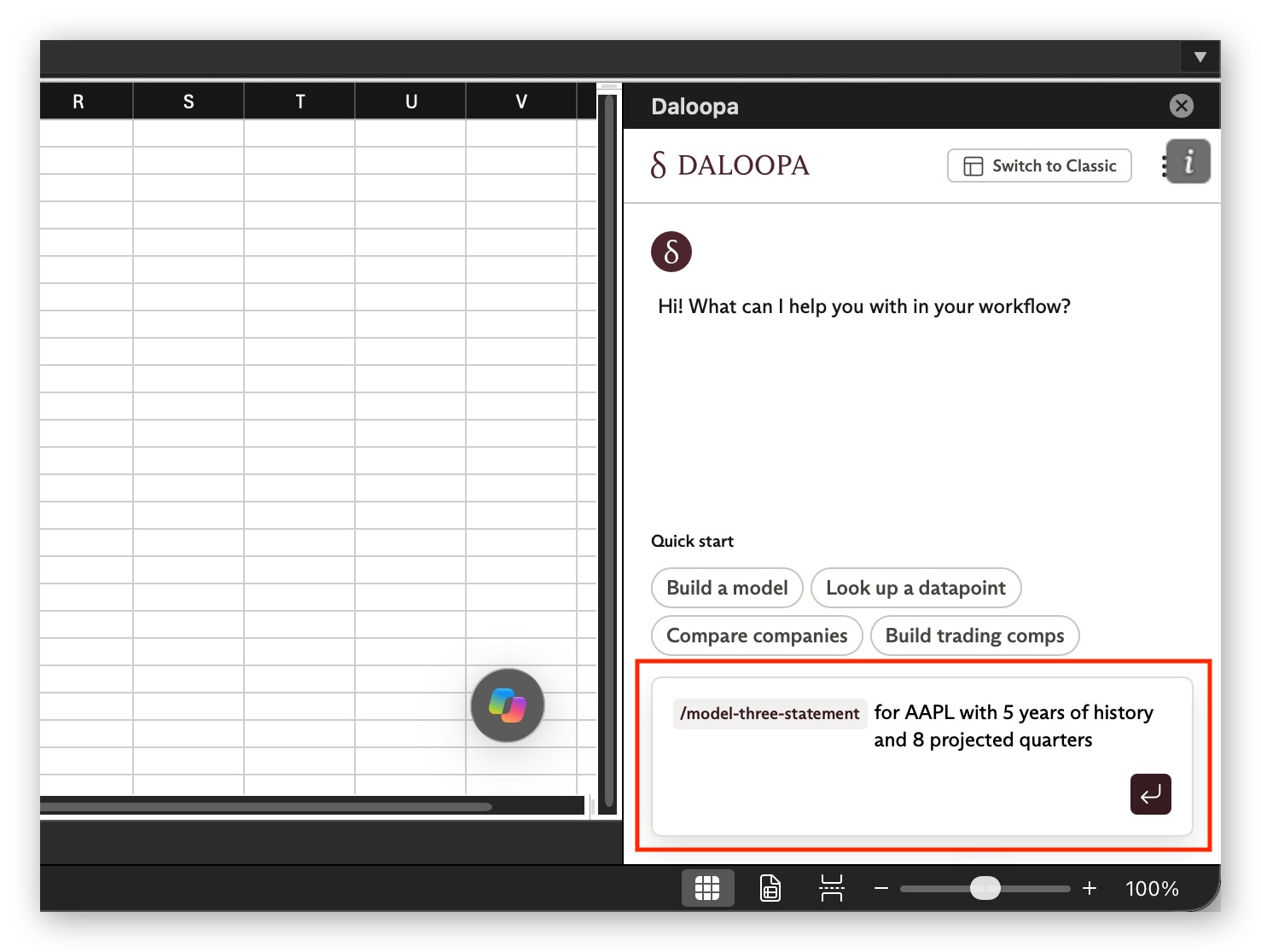
To use any skill, type / followed by the skill name in the Scout prompt box, then add the details for your request, such as ticker, periods, line items, layout, or any boundaries Scout should follow.
Custom skills
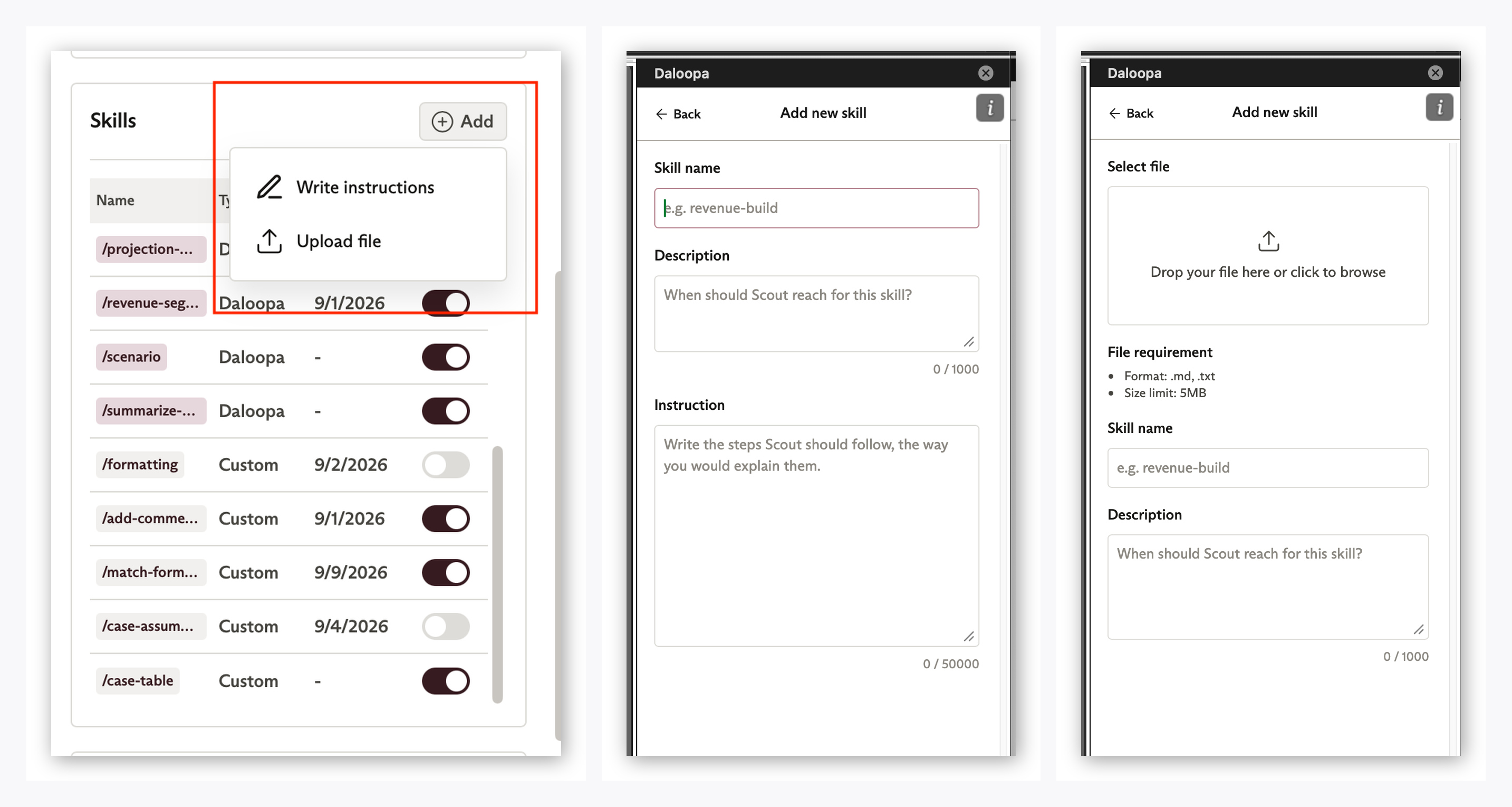
Custom skills can be as simple as a formatting preference or as detailed as a full modeling playbook.
You can create one directly in Scout Settings, upload a plain text or markdown file, or save a successful Scout prompt result as a skill.
Daloopa skills
Scout also includes prebuilt Daloopa skills for recurring financial modeling tasks, such as building models, updating earnings periods, creating comps, and auditing workbook logic.
Current Daloopa skills in Scout
| Daloopa skill | Use it to |
|---|---|
/bridge | Build a bridge or walk analysis explaining changes in a metric. |
/comps | Build valuation comps across selected companies. |
/cross-company-kpi-dashboard | Compare operating KPIs across companies or an industry. |
/dcf | Add a DCF valuation to an existing model. |
/document-update | Fill latest-period data from a public source document when verified Daloopa data is not yet available. |
/fix-debug-audit | Diagnose model errors, tie-out issues, formula breaks, or audit concerns. |
/guidance-tracker | Track management guidance against reported actuals. |
/house-conventions | Apply your preferred modeling layout, formatting, units, and naming conventions. |
/model-three-statement | Build or link a three-statement financial model. |
/port-replicate-model | Adapt an existing model or template to a new company. |
/projection-methodology | Extend historicals into forecasts using appropriate line-item methods. |
/revenue-segment-drivers | Build revenue forecasts from segment-level operating drivers. |
/scenario | Add bull, base, and bear cases or stress-test assumptions. |
/summarize-model | Explain how an existing model is structured, wired, and forecasted. |
Updated about 1 month ago